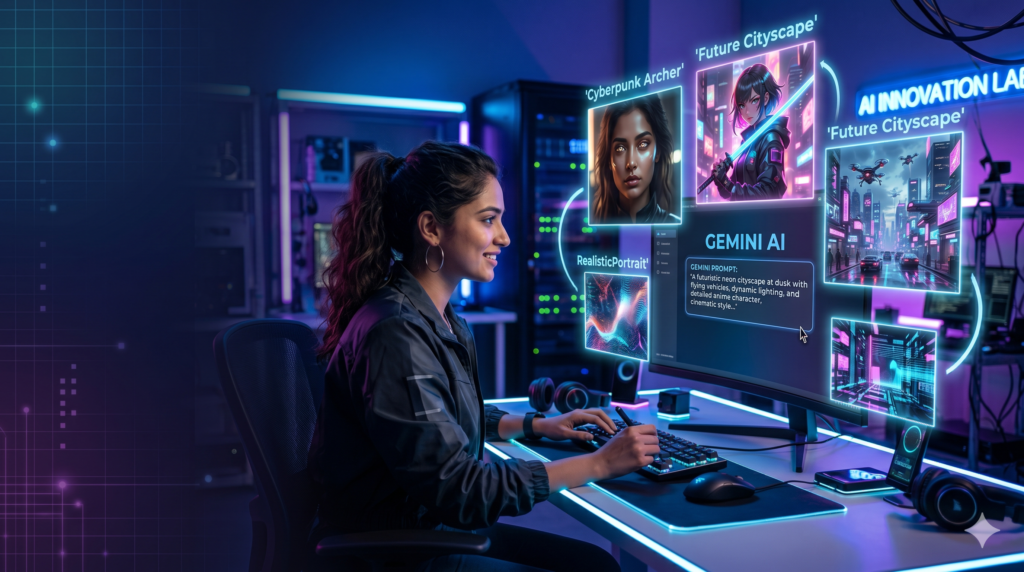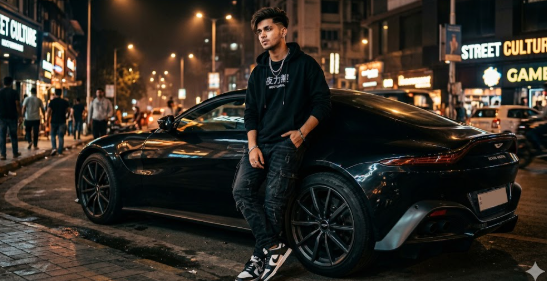
Artificial Intelligence image generation has become one of the biggest trends in digital content creation. With tools like Google Gemini, users can generate realistic images, cinematic artworks, anime characters, social media visuals, product photos, and much more simply by writing text prompts.
In this article, you will learn what Gemini image prompts are, how they work, how to write professional prompts, and the best prompt examples for creating high-quality AI-generated images.
What is Gemini AI Image Generation?
Google Gemini is an advanced AI platform developed by Google that can understand text instructions and generate highly detailed responses, including AI-generated images through integrated AI models and creative tools.
Image generation works through prompts. A prompt is simply a detailed text instruction that tells the AI what type of image to create.
Example:
“A realistic Indian boy wearing a black hoodie standing on a rooftop during sunset, cinematic lighting, ultra realistic, DSLR quality.”
The better your prompt, the better your generated image quality will be.
Why Prompt Writing is Important
Many beginners write very small prompts like:
“Generate a handsome boy.”
This usually gives average results.
Professional creators use detailed prompts including:
- Subject
- Clothing
- Background
- Camera angle
- Lighting
- Art style
- Mood
- Image quality
- Colors
- Facial expressions
Detailed prompts help AI understand exactly what type of image you want.
Structure of a Perfect Gemini Image Prompt
A professional AI image prompt usually follows this structure:
Subject
Describe the main character or object.
Example:
“A young Indian man”
Appearance
Add hairstyle, clothes, expression, body language, etc.
Example:
“curly hair, black oversized hoodie, stylish sunglasses”
Background
Explain where the image is happening.
Example:
“standing in a neon cyberpunk street at night”
Lighting
Lighting dramatically improves image quality.
Examples:
- cinematic lighting
- golden hour lighting
- soft ambient light
- dramatic shadows
- studio lighting
Style
Choose the visual style.
Examples:
- realistic
- anime
- Pixar style
- 3D render
- watercolor painting
- cinematic photography
Quality Keywords
These improve realism and detailing.
Examples:
- ultra realistic
- 8K
- highly detailed
- DSLR quality
- sharp focus
- professional photography
Best Gemini Prompts for Image Generation
1. Realistic Indian Boy Prompt
A realistic Indian teenage boy standing near a sports bike, black jacket, messy hairstyle, cinematic sunset lighting, realistic skin texture, DSLR photography, ultra detailed, 8K quality, shallow depth of field.
2. Instagram Model Style Prompt
Handsome Indian male model wearing streetwear fashion, standing in a luxury cafe, natural pose, Korean Instagram aesthetic, warm lighting, realistic face details, professional fashion photography, ultra realistic.
3. Anime Style Prompt
Anime boy with white hair and blue glowing eyes, futuristic cyberpunk city background, neon lights, detailed anime art style, cinematic atmosphere, highly detailed digital illustration.
4. Gaming Character Prompt
Powerful gaming character wearing futuristic armor, glowing red eyes, holding a sci-fi weapon, dark battlefield background, realistic game art, cinematic lighting, ultra HD.
5. Cute Chibi Avatar Prompt
Cute 3D chibi character version of an Indian boy, oversized hoodie, smiling expression, soft pastel colors, adorable style, Pixar-inspired rendering, highly detailed.
Tips to Create Better AI Images
1. Be Specific
Instead of:
“a car”
Write:
“a red Lamborghini parked on a rainy Tokyo street at night”
2. Use Camera Terms
Examples:
- close-up shot
- wide angle
- portrait photography
- drone shot
- cinematic composition
3. Add Mood and Emotion
Examples:
- emotional atmosphere
- mysterious vibe
- happy mood
- dark aesthetic
4. Mention Quality Keywords
Use words like:
- ultra realistic
- detailed textures
- realistic shadows
- cinematic lighting
- photorealistic
Common Mistakes Beginners Make
Very Short Prompts
Short prompts give poor-quality images.
Too Many Unrelated Words
Adding random keywords confuses the AI.
No Lighting or Style Mentioned
Lighting and style are extremely important for realistic output.
Can Gemini Generate Realistic Images?
Yes. Modern AI models integrated with Gemini can generate highly realistic images when prompts are written properly. Many creators use AI-generated images for:
- Instagram posts
- YouTube thumbnails
- Wallpapers
- Gaming art
- Story illustrations
- Product mockups
- Blog graphics
- AI influencers
Best Prompt Categories for Gemini AI
Some popular categories include:
- Realistic portraits
- Anime characters
- Cinematic scenes
- Fantasy art
- Sci-fi concepts
- Fashion photography
- Tech wallpapers
- Cartoon avatars
- Chibi characters
- Luxury lifestyle images
SEO Keywords Related to Gemini Image Prompts
You can target these keywords in your blog:
- Gemini AI image prompt
- Best Gemini prompts
- AI image generation prompts
- Realistic AI prompts
- Gemini AI photography prompts
- AI art prompts
- Gemini image creator
- Professional AI prompts
- AI prompt engineering
- Text to image prompts
Conclusion
Google Gemini AI image generation is becoming extremely popular because it allows users to create professional-quality visuals using simple text instructions. However, the quality of results depends heavily on prompt writing.
A well-structured prompt with detailed descriptions, lighting, style, and quality keywords can generate stunning AI images for social media, branding, gaming, blogs, and creative projects.
If you want professional-looking AI-generated images, learning prompt engineering is one of the most valuable skills in modern content creation.