Best YouTube Description Extractor Tool in 2026 – View, Copy & Save Video Descriptions Online
YouTube is full of useful videos. People watch videos for study, business, coding, marketing, entertainment, and learning new skills. But many times, the video description is just as important as the video itself.
In the description, creators often add:
- Important links
- Notes
- Product links
- Timestamps
- Download files
- Social media handles
- Tools and resources
- Hashtags
- Contact details
Now imagine this: you want to copy a YouTube video description, but it is hard to do quickly, especially on some devices. That is where a YouTube Description Extractor Tool becomes very useful.
Free YouTube Title Extractor
A good tool helps you view, copy, and save YouTube video descriptions online in just a few seconds.
If you are looking for the best YouTube Description Extractor Tool in 2026, this guide will help you understand everything in a very simple way.
What Is a YouTube Description Extractor Tool?
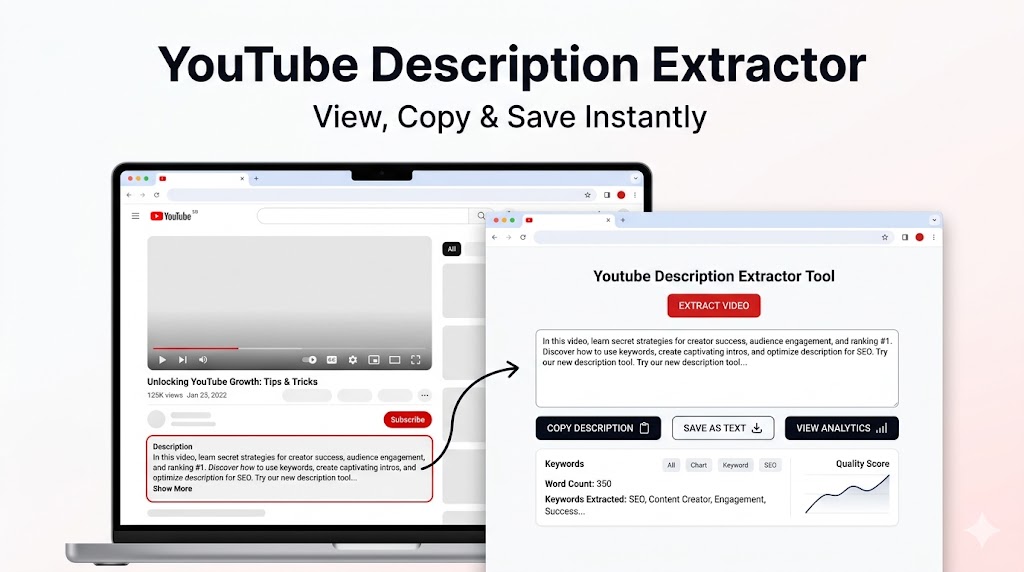
A YouTube Description Extractor Tool is an online tool that helps you pull or fetch the description text from a YouTube video.
Free YouTube Title Extractor
You simply paste the YouTube video link into the tool, and it shows the description written below that video.
This means you can:
- Read the full description easily
- Copy the description text
- Save the description for later
- Use the text for notes, research, or reference
This is very useful for students, bloggers, SEO users, YouTubers, and researchers.
Why People Use a YouTube Description Extractor
Many people think YouTube is only about watching videos. But smart users know that video descriptions contain a lot of value.
Here are some common reasons why people use a description extractor tool.
1. To copy important links
Many creators put website links, affiliate links, course links, GitHub links, and social links in the description.
2. To save notes and resources
Educational videos often include notes, PDF links, and study material in the description.
3. To check competitor strategy
YouTubers and marketers often study how other creators write their descriptions.
4. To find keywords and hashtags
A description can show what kind of keywords and tags a creator is using.
5. To save content for research
Students, bloggers, and content creators often save descriptions for future use.
So yes, this tool is much more useful than it may look at first.
How a YouTube Description Extractor Tool Works
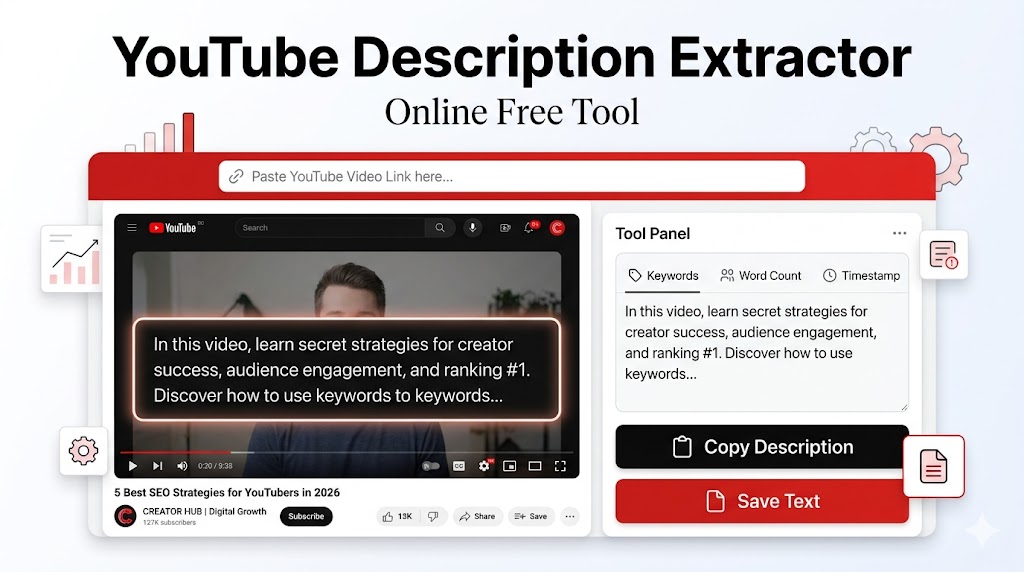
The tool works in a very simple way.
You copy a YouTube video URL and paste it into the input box. After that, the tool reads the video data and shows the description text on the screen.
Then you can:
- Copy it
- Read it
- Save it
- Use it for study or analysis
Some advanced tools also help you:
- Remove extra spaces
- Clean the text
- Show hashtags
- Highlight links
- Download the description as text
That is why a best YouTube description extractor tool should not only show the description but also make it easy to use.
Who Should Use a YouTube Description Extractor Tool?
This tool is useful for many types of users.
Students
Students can copy study notes, important links, timestamps, and educational resources.
Bloggers
Bloggers can study how YouTubers write content and structure useful descriptions.
YouTubers
YouTubers can research competitor descriptions and improve their own video SEO.
Affiliate marketers
Affiliate users can quickly view product links and offer details added in descriptions.
SEO learners
SEO users can study keyword placement, call-to-action lines, and content structure.
Researchers
Researchers can save video-related information in one place.
In short, if you use YouTube for anything beyond just entertainment, this tool can help you.
Main Features of the Best YouTube Description Extractor Tool in 2026
Not every tool is good. Some tools are slow, messy, or full of ads. A good tool should be simple and useful.
Here are the features that make a tool truly helpful in 2026.
Clean and easy interface
The tool should be easy for everyone, even beginners.
Fast description fetching
You should not wait a long time after pasting the video URL.
Copy button
A one-click copy option is very important.
Save option
A good tool should help users save the extracted description.
Mobile-friendly design
Many users work from phones, so mobile support matters a lot.
No login required
Simple tools are better. People do not want to create accounts for small tasks.
Safe and browser-based
Users prefer tools that work online without installing software.
If your tool has these features, it can become very useful for real users.
Why This Tool Is Useful in 2026
In 2026, YouTube is not just a video platform. It is also a learning platform, marketing platform, and business platform.
More people are using YouTube for:
- Study
- Coding tutorials
- AI tools
- Affiliate marketing
- Product reviews
- Career learning
- Skill development
Because of that, descriptions have become more important than before.
A video description today may include:
- Website links
- AI tool links
- Prompt libraries
- Course pages
- Resource files
- App links
- Discount codes
- Contact information
That is why a YouTube Description Extractor Tool in 2026 is not just a “nice tool.” It is a practical tool.
How to Use a YouTube Description Extractor Tool
Using this tool is very easy. Even a beginner can use it without any confusion.
Step 1: Open YouTube
Go to YouTube and find the video you want.
Step 2: Copy the video URL
Copy the full video link from the browser or share button.
Step 3: Open the extractor tool
Go to the YouTube Description Extractor page.
Step 4: Paste the URL
Paste the YouTube video link into the input box.
Step 5: Click the extract button
The tool will fetch the description.
Step 6: View the description
Now you can read the full description clearly.
Step 7: Copy or save it
Use the copy button or save the text for later use.
That is it. No complex steps. No software. No hard setup.
Benefits of Using a YouTube Description Extractor Tool
This tool saves both time and effort.
Here are some real benefits.
It saves time
You do not need to manually select and copy messy text again and again.
It helps with research
You can quickly collect descriptions from useful videos.
It supports SEO learning
You can study how creators write descriptions and use keywords.
It helps in content planning
Creators can save good description ideas and improve their own content.
It is useful for education
Students can quickly collect useful resources from learning videos.
It improves workflow
If you work with YouTube often, this tool becomes part of your daily routine.
Simple tools are powerful because they remove small but annoying tasks.
Common Use Cases of a YouTube Description Extractor
This tool has many practical uses. Here are some examples.
For coding tutorials
A coding video may include:
- Source code
- GitHub link
- Project files
- Course links
A description extractor helps you save all of that quickly.
For study videos
An educational video may include:
- Notes
- Chapter timestamps
- Topic list
Students can copy and save them easily.
For marketing videos
Marketing videos often include:
- Funnel links
- Product links
- Landing pages
- Social handles
This is useful for marketers and researchers.
For product reviews
Review videos often include:
- Buy links
- Product names
- Discount links
- Comparison tools
This can help users find useful resources faster.
YouTube Description Extractor vs Manual Copy
Some people may ask, “Why use a tool when I can copy it manually?”
That is a fair question. But in many cases, a tool is better.
Here is a simple comparison.
| Feature | Manual Copy | Description Extractor Tool |
|---|---|---|
| Speed | Slow | Fast |
| Ease of use | Medium | Very easy |
| Mobile support | Sometimes hard | Better |
| Clean output | Not always | Usually cleaner |
| Save option | Manual | Easy |
| Better for repeated use | No | Yes |
If you only need it once, manual copy may work. But if you use YouTube often, a tool is much better.
Why Content Creators and SEO Users Love This Tool
Content creators often study what other successful creators are doing.
One smart way to learn is by checking their video descriptions.
A YouTube description can reveal:
- How they write calls to action
- What links they add
- How they structure information
- What keywords they use
- How they place hashtags
This is very useful for creators who want to improve their own video descriptions.
SEO users also like this tool because it helps them analyze patterns in content strategy.
It is not about copying others. It is about learning what works.
Can You Save Extracted YouTube Descriptions for Later?
Yes, and that is one of the best parts.
After extracting the description, you can save it in many ways.
You can:
- Copy it into Notes
- Save it in Google Docs
- Keep it in Notion
- Use it in Excel or Sheets
- Save it as a text file
This is useful if you are collecting:
- Study notes
- Research data
- Competitor analysis
- Link collections
- Content ideas
A good tool should make saving easy.
Is It Safe to Use a YouTube Description Extractor Tool?
Yes, if the tool is simple, browser-based, and does not ask for unnecessary permissions.
A good tool should not ask you to:
- Log in with YouTube
- Give your password
- Install risky software
- Download unknown files
The best tools simply ask for one thing: the video URL.
That is all they need.
So if you are using a clean and trusted browser tool, it is usually safe and convenient.
What Makes the Best YouTube Description Extractor Tool in 2026?
The word “best” should mean more than just “working.”
A truly good tool should be:
- Fast
- Clean
- Beginner-friendly
- Mobile-friendly
- Safe
- Free or useful enough to try
- Easy to copy from
- Easy to save from
It should also work without confusing the user.
In 2026, people want tools that are quick and practical. Nobody wants a tool that looks messy, loads slowly, or feels hard to use.
If your tool solves one simple problem very well, users will love it.
Best Practices While Using a YouTube Description Extractor
Here are some smart tips for users.
Use only public YouTube video URLs
Private or restricted videos may not work properly.
Double-check copied links
If you are saving links from a description, make sure they are correct.
Keep your research organized
If you are extracting multiple descriptions, save them in folders or notes.
Use it for learning, not copying blindly
This tool is best for research, study, and reference.
Save useful descriptions
Good descriptions often include valuable information you may need later.
These small habits can make the tool much more useful.
Why Simple Tools Like This Get So Popular
People often search for big tools, AI tools, and fancy software. But many times, the most useful tools are the simple ones.
A YouTube Description Extractor Tool solves a small but real problem:
“I want to quickly view and copy this YouTube description.”
That is a strong use case.
Users love tools that are:
- Easy to understand
- Fast to use
- Helpful in real life
- Free or lightweight
- Mobile-friendly
That is why this kind of tool can do very well in search if it is built properly and explained clearly.
Best YouTube Description Extractor Tool in 2026 – Why You Should Use One
If you work, learn, study, or create on YouTube, this tool can save you time every single week.
Instead of manually opening descriptions, selecting text, fixing formatting, and copying links one by one, you can use one tool and do the whole task in seconds.
This is useful for:
- Students
- Bloggers
- YouTubers
- Affiliate marketers
- SEO learners
- Researchers
- Developers
- Everyday users
A small tool can make a big difference when it removes friction from your workflow.
Quick Feature Summary Table
Here is a simple summary of what users usually want from a good YouTube Description Extractor Tool.
| Feature | Why It Matters |
|---|---|
| Paste YouTube URL | Easy input |
| Extract full description | Main function |
| Copy button | Fast workflow |
| Save text | Useful for later |
| Mobile support | Better user experience |
| Clean design | Easy for beginners |
| No login | Less friction |
| Fast loading | Better usability |
If your tool covers these features well, it already has strong user value.
Final Thoughts
The best YouTube Description Extractor Tool in 2026 is not the one with the most complicated features. It is the one that helps users do one thing quickly and well: view, copy, and save YouTube video descriptions online.
This tool is useful for learning, content research, SEO study, link collection, and creator workflow. It is simple, practical, and genuinely helpful for many users.
As YouTube keeps growing in 2026, tools like this will become even more useful because descriptions are now full of valuable content, links, and information.
If you use YouTube often, having a good description extractor tool can save time, improve research, and make your workflow smoother.
That is what makes it a smart and useful online tool.
Frequently Asked Questions (FAQ)
1. What is a YouTube Description Extractor Tool?
It is an online tool that helps you fetch, view, copy, and save the description text from a YouTube video.
2. How do I use a YouTube Description Extractor?
Copy the YouTube video link, paste it into the tool, and click the extract button. The tool will show the description text.
3. Can I copy YouTube video descriptions online?
Yes, a description extractor tool makes it easy to copy the full description text in just a few clicks.
4. Is a YouTube Description Extractor free to use?
Many tools are free to use, especially browser-based tools that only need a YouTube video URL.
5. Can I use this tool on mobile?
Yes, most modern YouTube description extractor tools work on smartphones and tablets.
6. Why would I need to save a YouTube description?
You may want to save useful links, notes, timestamps, resources, hashtags, or content ideas for later.
7. Is it safe to use a YouTube Description Extractor Tool?
Yes, if the tool is browser-based and does not ask for risky permissions, passwords, or software downloads.
8. Who should use this tool?
Students, YouTubers, bloggers, SEO users, marketers, and researchers can all benefit from using it.
9. Can this tool help with SEO research?
Yes, it can help users study how creators write descriptions, place keywords, use hashtags, and structure links.
10. What makes the best YouTube Description Extractor Tool in 2026?
A good tool should be fast, easy to use, safe, mobile-friendly, and allow users to copy and save descriptions easily.